StudioTools Connect puts a lyrics teleprompter, transport controls and live timecode on your iPhone or iPad — in sync with Logic Pro or Pro Tools on your Mac.
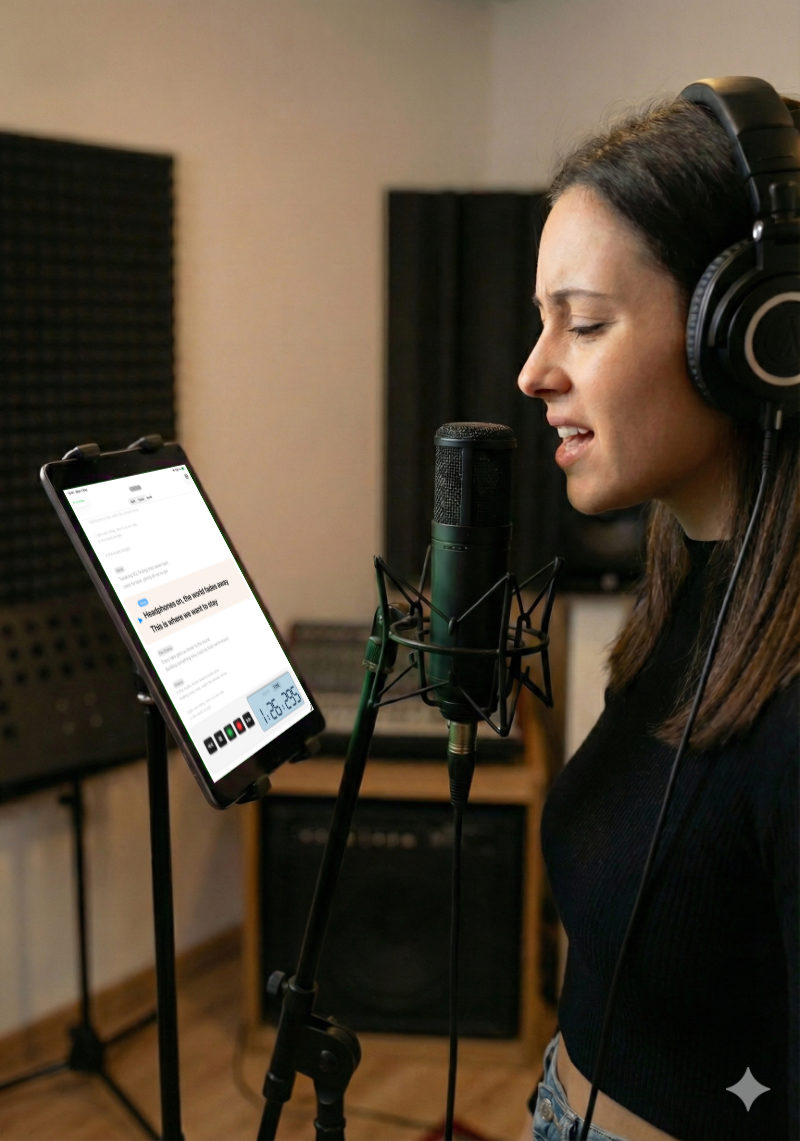
Keep your hands free and your eyes on the words. StudioTools Connect follows the session on your Mac in real time.
The lyrics follow the song as it plays, with the current stanza highlighted — in Scroll, Split or Focus mode.
Play, stop, record, rewind and fast forward from your iPhone or iPad, and see at a glance whether the DAW is recording. With the video recorder on, the camera starts with the take.
The current position in bars and beats or minutes and seconds, exactly as your DAW shows it.
Your Mac shows up automatically on the local network. Connect to several Macs and the app remembers them.
A built-in demo mode plays a sample song with lyrics, so you can see how it works before setting anything up.
Everything stays on your local network. No cloud, no account, no tracking.
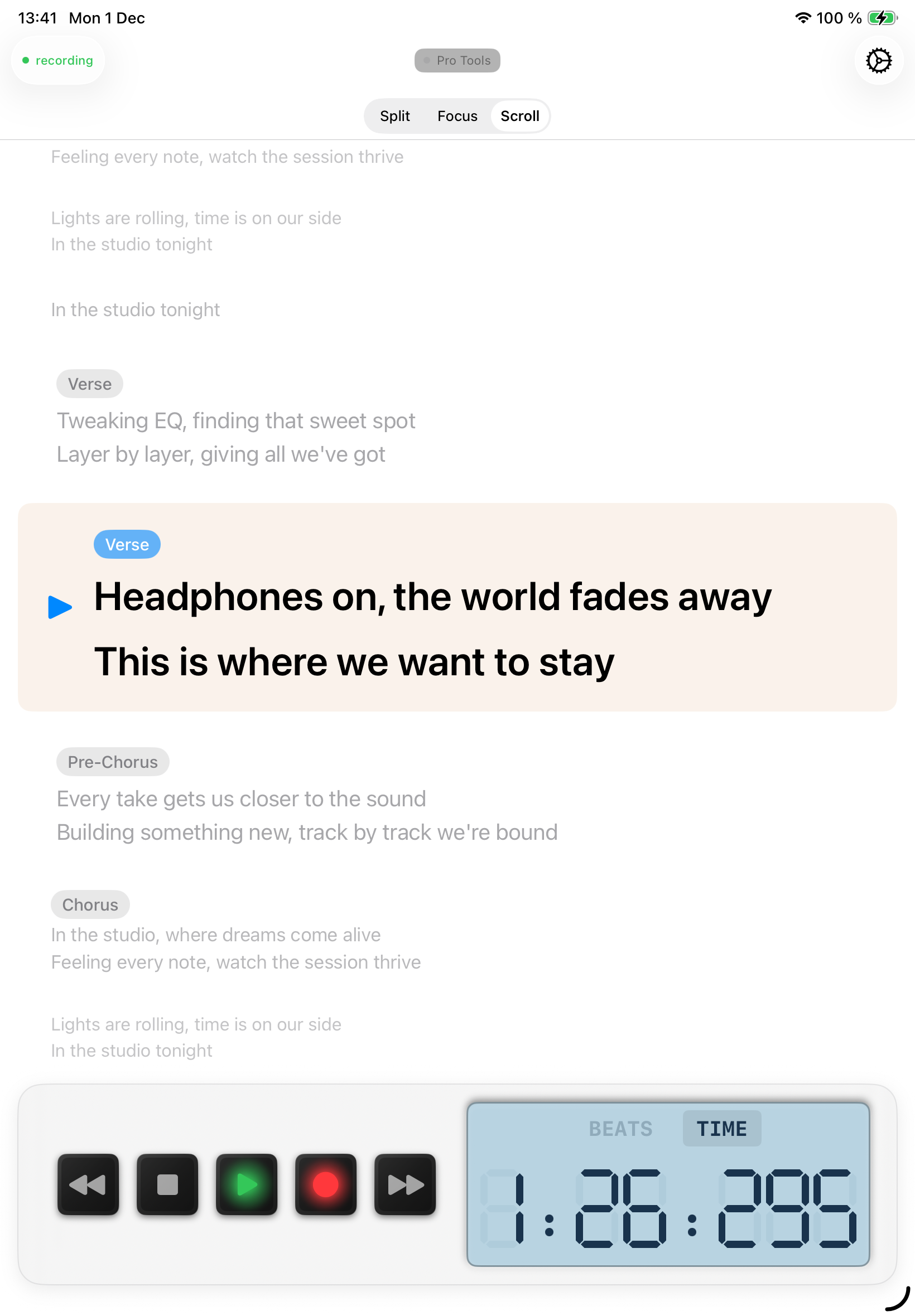
Write and time your lyrics in the StudioTools lyrics editor on the Mac. Connect shows them on your iPhone or iPad, in step with the DAW.
Works with timing in bars and beats (Logic Pro) or minutes and seconds (Pro Tools).
StudioTools on your Mac, StudioTools Connect on your iPhone or iPad.
Open Connect — your Mac appears automatically when both are on the same network.
StudioTools accepts new devices automatically, or asks first if you prefer to approve each one.
Control the DAW and follow the lyrics from anywhere in the studio.
Download StudioTools Connect for your iPhone or iPad, and StudioTools for your Mac.
 StudioTools Connect